
Trusted by leading D2C and B2B brands worldwide
SMS Sends a Text. WhatsApp Starts a Conversation.
SMS is plain text with a link, on an unknown number. WhatsApp carries images, buttons, and real replies, from your branded business account.
Summer sale is live. 25% off this weekend only.
a tap away from buying
Summer sale, 25% off this weekend. Shop bit.ly/a3xk9 Reply STOP to opt out
no media, no branding
Every Message They Can Tap, Watch, and Buy
Every message type WhatsApp supports, sent straight from one campaign.
Autumn edit is here. 25% off this weekend only.
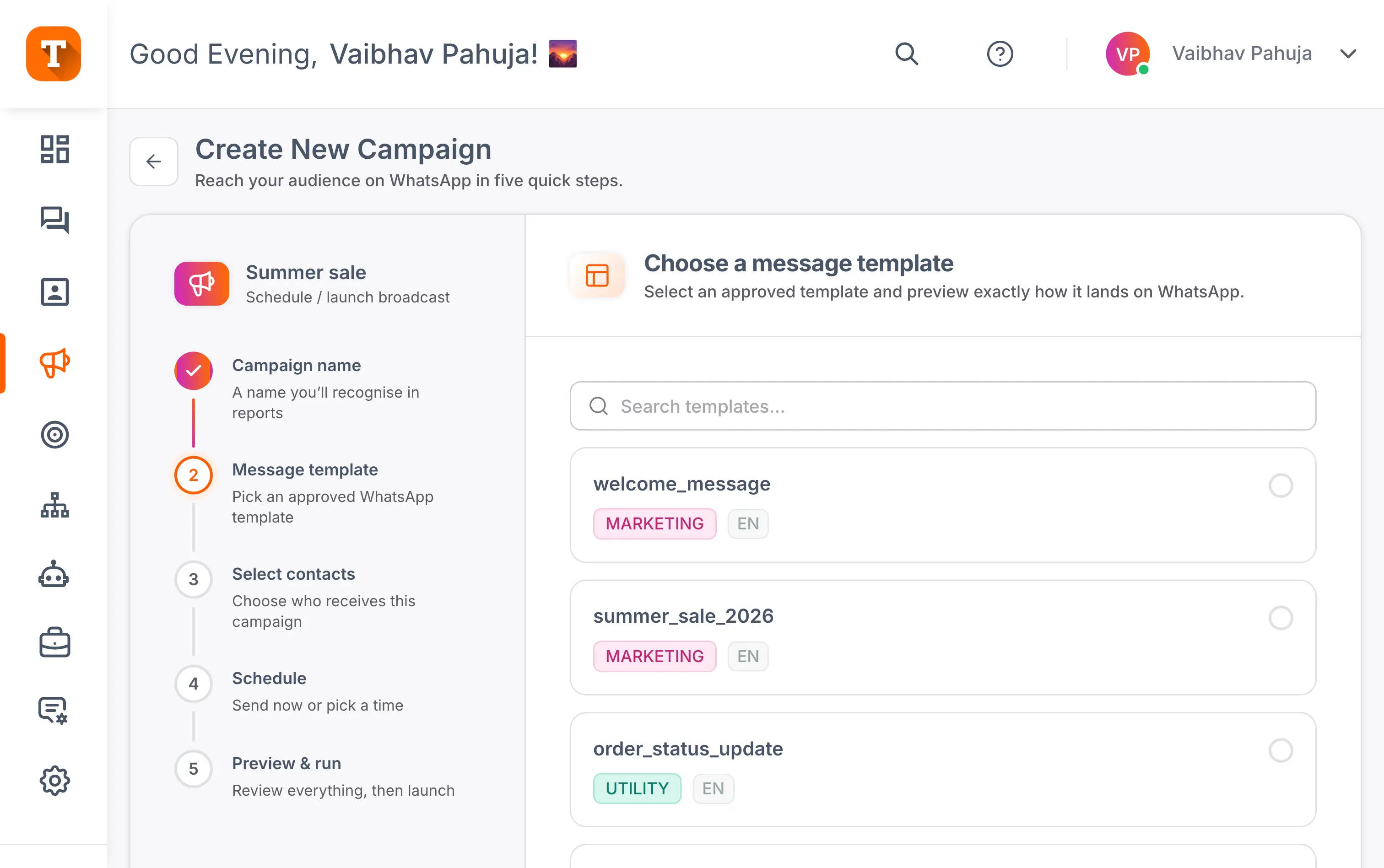
Send a Campaign in Four Steps
No blank page, no developer. From idea to inbox in minutes.
Start from a template
Pick a proven, Meta-approved template and tweak the words.
Choose your audience
Filter by tag, city, or behaviour, or upload a list.
Schedule the send
Now, or the hour your audience actually reads, in their time zone.
Send and track
Watch delivered, read, and replied update in real time.
See Exactly What Your Campaign Did
Sent, delivered, read, and replied, tracked on every campaign and every contact. Export it whenever you need it.

Three Ways to Send a Campaign
From the dashboard, from your own systems, or straight from a spreadsheet.
Schedule or launch
Build it in the dashboard, then send now or schedule for later.
API campaigns
Trigger sends from your app, CRM, or ERP with one API call.
Spreadsheet campaigns
Upload an Excel or Google Sheet and send to that list.
Frequently Asked Questions
Everything you need to know about running WhatsApp campaigns.
A WhatsApp broadcast campaign is a message sent to many opted-in contacts at once, personalised with details like their name. Transket sends it through the official WhatsApp Business API, so it arrives as a normal chat from your verified business account, with images, buttons, and replies. Unlike group messages, each contact receives it as a private one-to-one conversation.
Yes. WhatsApp requires businesses to message only people who have opted in to hear from them, and campaigns to non-opted-in contacts risk your number being restricted. Transket tracks opt-in per contact, so every campaign goes only to people who said yes and you have a consent record to stand behind. Opt-in also protects results: people who chose to hear from you actually read and reply.
An SMS blast is plain text with a link, sent from an unknown number. A WhatsApp campaign carries images, videos, catalogues, and tappable buttons, sent from your branded, verified business account, and the customer can reply right in the chat. That reply turns a broadcast into a conversation, which is where the sale happens. SMS still has a place for one-way alerts where WhatsApp reach is low.
Yes. Every campaign tracks sent, delivered, read, and replied in real time, down to each contact, so you know exactly who engaged. Results can be exported to CSV or Excel in one click. That per-contact view lets you follow up with the people who read but did not reply, instead of blasting everyone again.
Yes. You can build a campaign now and send it immediately or schedule it for later, including the hour your audience actually reads, in their time zone. Scheduling works from the dashboard in the same five-step flow: name the campaign, pick an approved template, select contacts, schedule, and review. Templates must be approved by WhatsApp before a campaign can go out, so build in that lead time.
Every message type WhatsApp supports: images with captions and buttons, autoplay videos, documents like PDFs and brochures, product catalogues with add-to-cart, list messages, and flows that collect details right inside the chat. All of them are sent from one campaign builder. Rich formats drive the taps and replies that plain text cannot, though every template still needs WhatsApp approval before sending.